README
View on GitHubPod-io
A modern podcast player that pulls shows from Apple Podcasts, Patreon, and any other podcast RSS feed — manage your subscriptions, play episodes, jump to one by name or number, search by voice, get AI-generated summaries and knowledge graphs of what's been discussed, and share any show or episode with a real public link.
This repo contains the web app (Next.js), thin native shells for desktop/iOS/Android, a real Alexa skill, and — newest — native CarPlay and Apple TV apps (still beta; see below). It's a single-user app: you run your own instance — locally, or deployed somewhere like Vercel — and it's yours. There are no accounts and no multi-tenancy; see Roadmap for why that's deliberate for now.
Screenshots
| Subscribed shows | Show page — player, summaries, knowledge graph |
|---|---|
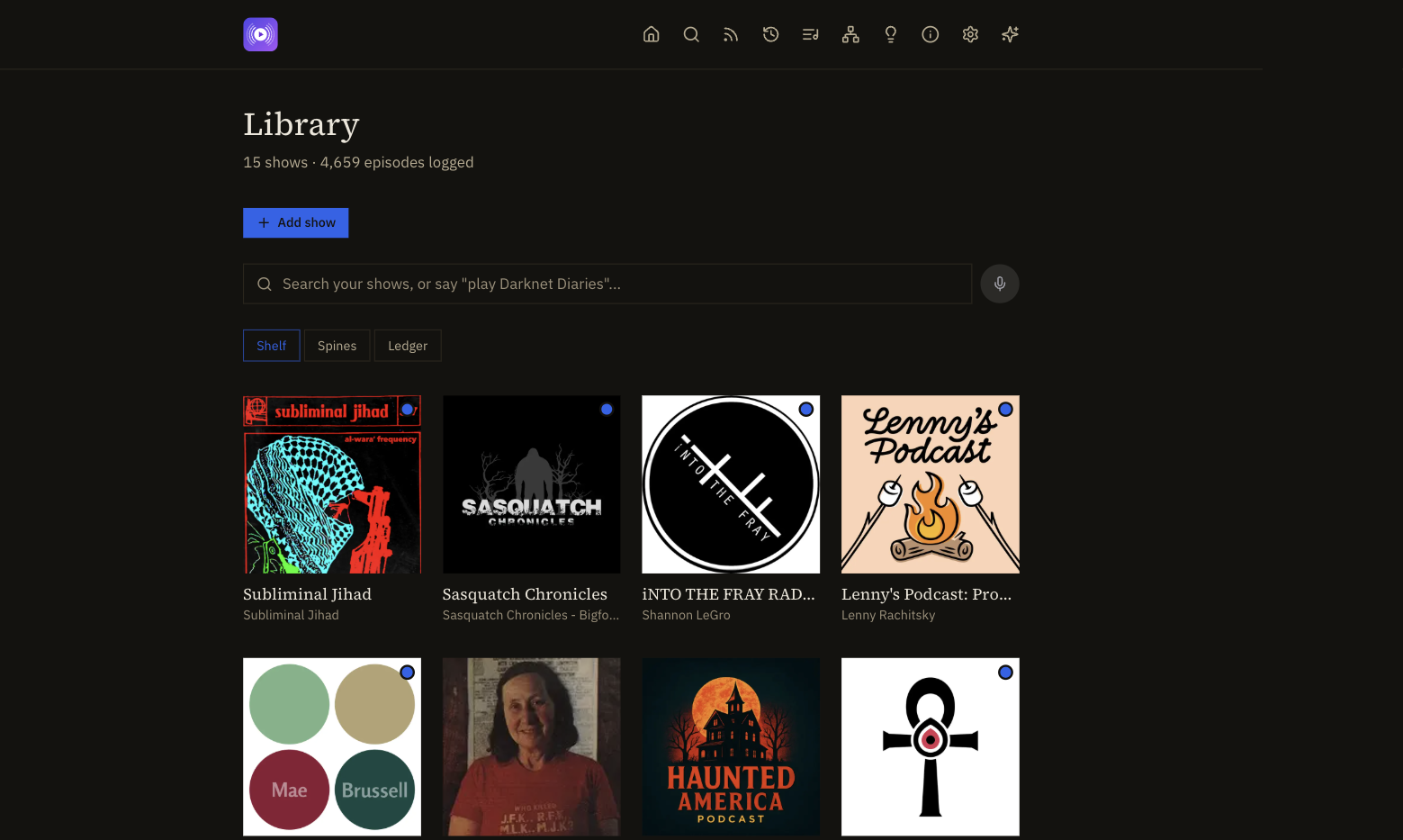 | 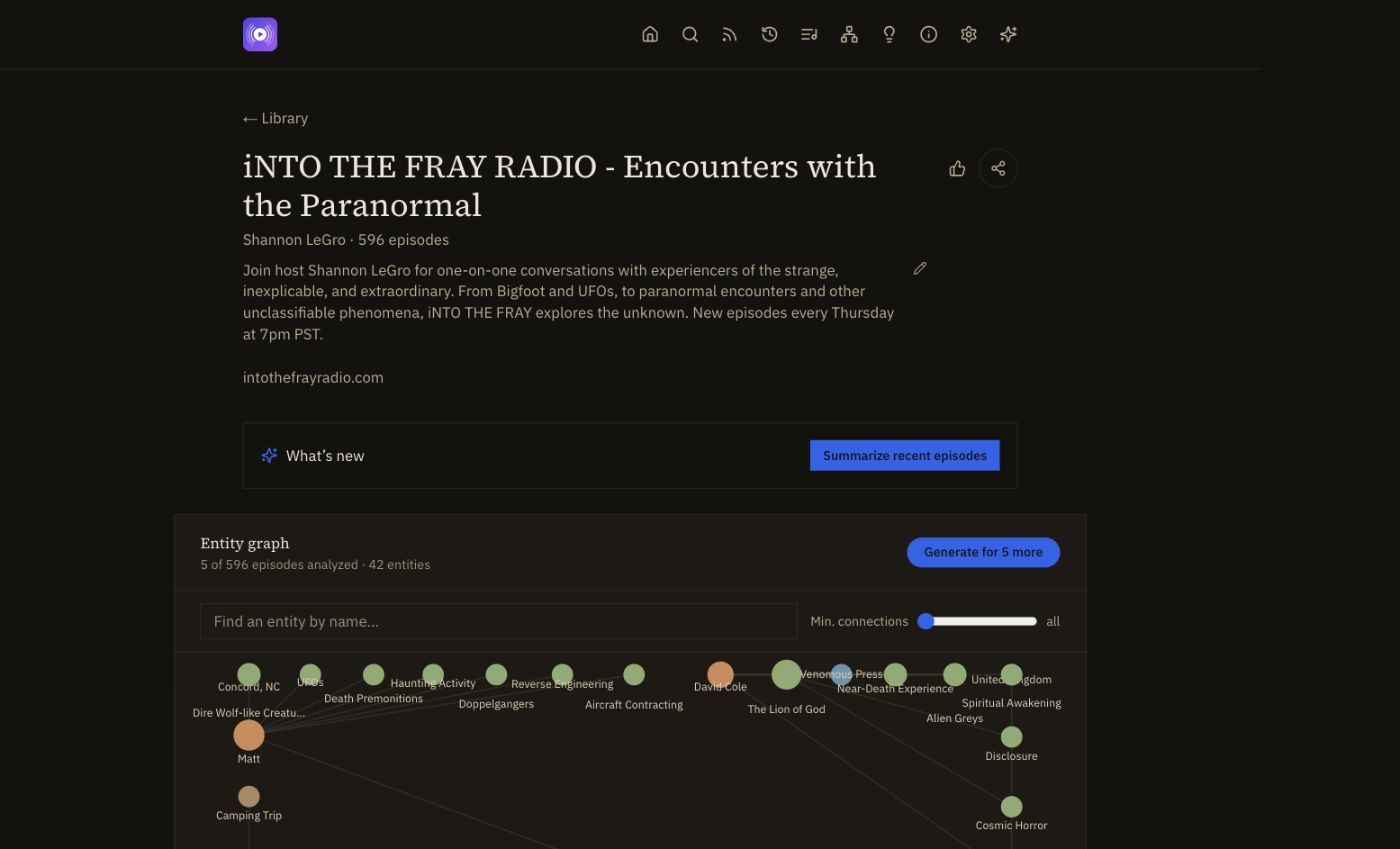 |
| Search across every show (with voice) | Settings — bring your own AI provider |
|---|---|
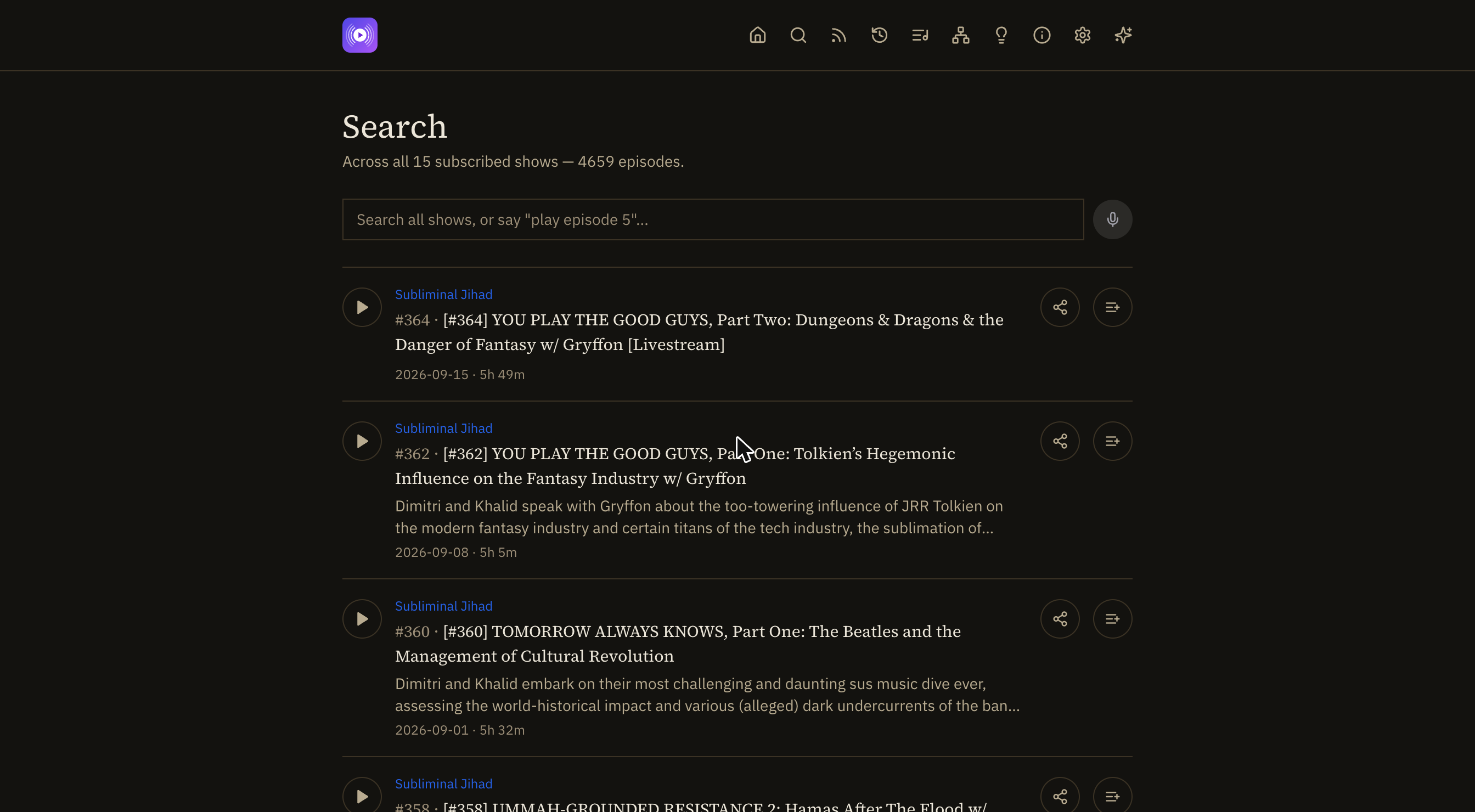 | 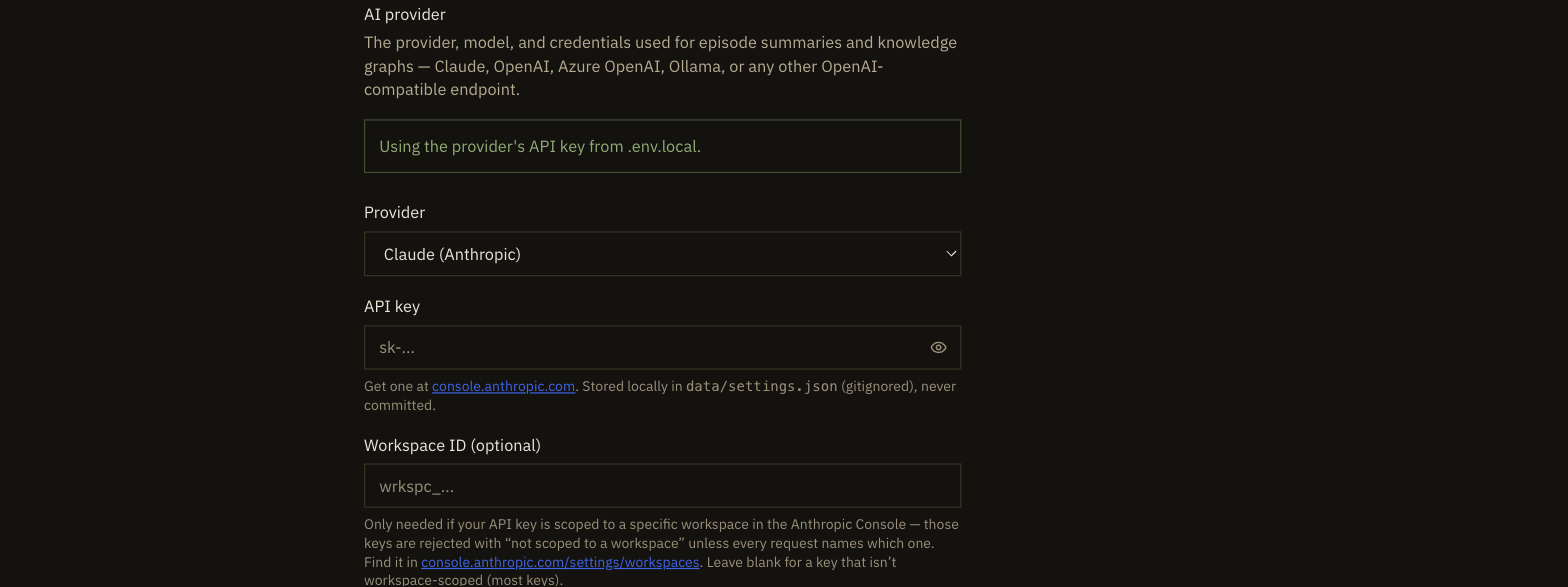 |
Architecture

The client apps (web, desktop, mobile, CarPlay/tvOS, Alexa) all call the same self-hosted Next.js
server, which reads and writes its data/ JSON files directly for almost everything. The LLM sits
behind exactly one door — lib/ai/client.ts — reached only when summarizing an episode or building
a knowledge graph, and swappable (Claude, OpenAI, Azure OpenAI, Ollama, or any OpenAI-compatible
endpoint) from Settings with no restart. See the full interactive version at
docs/architecture.html.
Features
- Show management — add a show by searching Apple Podcasts by name, by pasting any podcast RSS feed URL (including a private per-patron Patreon feed), or by pointing at a local folder of audio files (also covers an already-mounted network share). Remove a show just as easily. No hardcoded shows, no code edits.
- Playback — a persistent bottom player; search episodes by name or number within a show, or across every subscribed show at once from the global Search page. Mark episodes listened (manually, or automatically when one plays through) or skipped (for a backlog you're not going to get to — a per-show "catch up" bulk-marks everything unheard as either), and hide what you've already heard.
- New episodes and in-progress, across every show — two dedicated pages: unlistened episodes published in the last 30 days across your whole library, and everything you've started but not finished, most-recently-played first, with a one-tap "remove" to clear a saved position you don't want to resume.
- Playlists — build ordered playlists from episodes across any show, with continuous play-through (auto-advances to the next track).
- Preferences — accent color, default listened-episode visibility, and more from Settings.
- Voice search — a mic button next to every search box (episode search, global search) uses the browser's speech recognition; say a show/episode name to search, or "play episode 12" to jump straight to it and start playback.
- AI features, any provider — episode summaries ("what's new") and per-episode/per-show/ cross-show knowledge graphs (people, organizations, concepts, places, and how they relate, extracted from an episode's transcript when it has one, otherwise its description). Bring your own AI: Claude, OpenAI, Azure OpenAI, a local Ollama instance, or any other OpenAI-compatible endpoint — configured from the Settings page, no code or restart needed. Leave it set to None and those features gray out cleanly instead of erroring; an API key that gets rejected (expired, revoked, or a workspace-scoped Anthropic key missing its workspace ID) does the same, automatically, rather than surfacing a raw provider error.
- Episode transcripts — real speech-to-text via a local whisper.cpp install (free, no cloud cost, self-hosted only), with an AI-generated summary saved alongside the full transcript. The iOS beta makes its own on the phone (see Mobile apps).
- Sharing — every share button copies a real public URL (the Apple Podcasts page, the
Patreon post/campaign page, or an episode-deep-link into Pod-io itself), never a private feed
URL and never a
localhostlink that only works on your machine. - Idea pad — a running scratchpad of feature ideas, backed by a local JSON file, that doubles
as this project's own product backlog (see
TODO.md). - Notes — a personal free-text log on a show or one specific episode, distinct from the idea pad above (which is app-wide feature ideas, not per-show/episode annotations).
- Listening analytics — total time listened, most-played shows, and a recent trend, built from
real play sessions rather than just the listened/unlistened flag. Owner-only, on
/analytics. - Contact form — a public
/contactpage, reachable without logging in, guarded by Cloudflare Turnstile so it isn't an open spam target. Optional — see Optional: environment variables.
Getting started
Prerequisites
- Node.js 20 or later
- npm (ships with Node)
- Nothing else is required to run the app — an AI provider key is optional (add one later from the Settings page) and Patreon credentials are only needed if you want to add a Patreon show
Install and run locally
git clone https://github.com/aamanlamba/pod-io.git
cd pod-io
npm install
npm run dev
Open http://localhost:3000. Click Add show to subscribe to your first podcast — that's the whole setup. Everything else (an AI provider, Patreon) is optional and configured later from the app itself.
Optional: environment variables
Copy the example file if you want to set any of these up front instead of through the app:
cp .env.local.example .env.local
| Variable | Needed for | Notes |
|---|---|---|
ANTHROPIC_API_KEY | AI summaries/knowledge graphs | Optional — can be set (or overridden with a different provider entirely) from the Settings page instead |
PATREON_CLIENT_ID / _SECRET / _REDIRECT_URI | The Patreon "who am I a patron of" identity lookup | Optional — only needed if you want that discovery helper; adding a Patreon show itself just needs its feed URL (see below) |
PATREON_PODCAST_RSS_URL | A one-time seed for your first Patreon show | Optional — the normal path is pasting the feed URL into Add show → RSS feed URL on the home page; this env var only matters on the very first run, before data/subscriptions.json exists |
Adding a Patreon show
Patreon's OAuth API doesn't expose another creator's post content to a patron's token — the integration path that actually works (the same one Overcast and Pocket Casts use) is each patron's private per-campaign podcast RSS feed:
- Log into patreon.com/podcasts and copy the private RSS URL for the show you want.
- On the Pod-io home page, click Add show → RSS feed URL, paste it in, and confirm.
That feed URL contains an access token that grants direct access to paid content — treat it like
a password. Pod-io stores it in data/subscriptions.json, which is gitignored and never sent
anywhere except back to Patreon's own servers to fetch your episodes.
Adding a local folder show
On the home page, click Add show → Local folder and paste an absolute path to a folder of
audio files (.mp3, .m4a/.m4b, .wav, .ogg, .flac, .aac, .opus, .wma) on the
machine running Pod-io. Each file becomes an episode, titled from its filename — subfolders are
scanned too (e.g. organized by season), with the episode title prefixed by its subfolder path so
same-named files in different subfolders stay distinguishable. This also covers an already-mounted
network share — from Pod-io's point of view that's just a folder path too. Only works when Pod-io
has real filesystem access (self-hosted); see the Vercel caveat below.
Episode transcripts
Each episode's actions menu has a Generate transcript action, powered by
whisper.cpp running locally — free, no per-minute
cloud cost, and (with Metal acceleration on Apple Silicon) fast: real-world testing against actual
podcast audio showed the small.en model transcribing at roughly 30x real-time, so even a 6-hour
episode finishes in minutes. This is a self-hosted-only feature, same as local-folder shows —
whisper.cpp is a native binary, not something a serverless platform like Vercel can run.
To set it up:
- Install whisper.cpp and ffmpeg —
brew install whisper-cpp ffmpegon macOS, or build/install both from source on Linux (see the whisper.cpp repo for Linux build steps). ffmpeg transcodes each episode to whisper.cpp's native 16kHz mono WAV format before transcribing it — whisper.cpp's own built-in format support doesn't cover every container real podcast audio shows up in (an AAC-in-M4A episode is what surfaced this), so this isn't optional - Download a model from huggingface.co/ggerganov/whisper.cpp
—
ggml-small.en.binis a good default (strong quality, ~30x real-time on Apple Silicon);ggml-base.en.binis smaller and faster with slightly lower accuracy - Set
WHISPER_MODEL_PATHin.env.localto that file's absolute path (WHISPER_CLI_PATHandFFMPEG_PATHonly need setting if those binaries aren't already on yourPATH)
Once generated, a transcript also becomes the input for that episode's knowledge-graph extraction (richer and more accurate than the RSS description alone) and gets an AI-generated summary saved alongside it, if an AI provider is configured.
Generating on your Mac, running on a small VPS? whisper.cpp's ~30x-real-time figure above assumes Metal acceleration on Apple Silicon — a low-end cloud VM (e.g. a single-vCPU "always free" instance) has neither Metal nor much CPU to spare, and would take far longer per episode. Rather than install whisper.cpp on the server at all, generate transcripts locally as usual, then push them to the server — two ways:
- Automatically: set
PODIO_DEPLOY_SSH_KEY/PODIO_DEPLOY_SSH_HOSTonce in.env.local(see.env.local.example) and every "Generate transcript" call pushes that one show's transcripts to the server right afterward, in the background (lib/transcripts/deploySync.ts) — nothing to remember to run. - Manually:
npm run sync-transcripts(orSSH_KEY=~/.ssh/your_key SSH_HOST=user@your.server npm run sync-transcriptsif you'd rather not set the env vars) — seescripts/sync-transcripts.sh. Mainly useful for a bulk catch-up of transcripts generated before the env vars were set.
Either way, transcript filenames are a deterministic hash of the show/episode ID, so files land in exactly the right place and the deployed app picks them up on the very next request — no server restart needed.
Clicking Generate transcript on the deployed site itself (no whisper.cpp there, by design —
see above) queues the request instead of failing outright. It gets picked up automatically the
next time you open any episode's transcript panel on your own local instance (a lightweight
check-the-remote-queue call, rate-limited to once a minute so browsing several episodes doesn't
mean an SSH call per click) — no dedicated background process, just piggybacked on something
you're already doing. Prefer to trigger it explicitly instead of waiting to open a transcript
panel? npm run process-transcript-queue forces the same check immediately and waits for the
result. Either way this needs npm run dev already running locally (see Run the local app as a
background service, below, to never have to remember that) with whisper.cpp and
PODIO_DEPLOY_SSH_KEY/PODIO_DEPLOY_SSH_HOST configured — it reads what's pending from the
server over SSH, generates each one against your own local dev server, and clears each request
off the server's queue as it succeeds. Anything that fails stays queued for next time.
Run the local app as a background service (macOS)
npm run install-local-service sets up two launchd LaunchAgents so you never have to remember
to run npm run dev: the dev server itself, and a menu bar status icon (desktop-tray/ — not the
full app, just Start/Stop/Restart/Open/View logs for the dev server) — both start automatically on
login. First run installs the tray icon's own dependencies (electron), which takes a minute.
Logs land in ~/Library/Logs/pod-io-dev.log / pod-io-tray.log. npm run uninstall-local-service
removes both.
If the menu bar icon doesn't appear after installing, even though everything looks right
(launchctl list shows it running): check System Settings → General → Login Items &
Extensions → Allow in the Background. New launchd background items land there — generically
labeled "bash" rather than by app name, since that's the literal binary the job runs — and stay
invisible until toggled on. Flip it on, then launchctl kickstart -k gui/$(id -u)/com.pod-io.tray for a clean restart.
Data storage
Pod-io stores its data as local JSON files under data/ — subscriptions, idea pad notes, AI
provider settings, generated knowledge graphs, and generated transcripts. data/subscriptions.json
and data/settings.json are gitignored since they can hold secrets (a Patreon feed token, an AI
provider key), and data/transcripts/ is gitignored as generated content; the rest can be
committed if you want your idea pad or generated knowledge graphs to travel with the repo.
Because these files are gitignored, a local dev checkout and a deployed instance never share
them automatically — if you add a show or playlist on the live site, your local npm run dev
won't see it, unless you pull it down. If PODIO_DEPLOY_SSH_KEY/PODIO_DEPLOY_SSH_HOST are set
in .env.local (see Episode transcripts above), npm run dev does this for you automatically
before starting (package.json's predev) — the deployed instance is treated as the primary copy,
so this is a good default if you mostly manage shows/playlists from the live site. It's best-effort
and never blocks dev from starting (unreachable server, or the env vars just not set, both no-op
quietly). Run it manually any time with npm run pull-data
(SSH_KEY=~/.ssh/your_key SSH_HOST=user@your.server npm run pull-data if you'd rather not set the
env vars — see scripts/pull-data.mjs). Either way, it's a merge by id, not a blind overwrite:
entries that exist on the server win on conflicts, but anything that only exists locally (e.g. a
local-folder show, which only makes sense on the machine whose filesystem it points at) is kept,
not dropped.
Deploying
The app is a standard Next.js project, so it deploys to Vercel as-is
(vercel CLI, or connect the GitHub repo from the Vercel dashboard) or to any other Node hosting
that runs npm run build && npm run start. For a self-hosted VPS with your own domain and HTTPS —
the path this project actually runs on in production — see DEPLOYMENT.md,
including how to password-protect the app once it's on the public internet.
Important caveat if you deploy to Vercel (or any serverless host): the local-JSON-file data
storage described above is built for a persistent filesystem — great for running Pod-io on your
own machine, a VPS, or in a container. Vercel's serverless functions do not reliably persist
filesystem writes across invocations or redeploys, so shows you add, settings you configure, and
knowledge graphs you generate on Vercel may not stick around. Until that's addressed (tracked in
TODO.md), Vercel is best treated as a way to try Pod-io out or host a read-mostly deployment, not
where you'd want your show list to live long-term — a local or VPS/container deployment is the
better fit for that today. Local folder shows specifically don't work on Vercel at all — a
serverless function has no access to an arbitrary folder path on your own machine, so that add-show
option only makes sense for a self-hosted deployment in the first place.
If you do deploy remotely and want the Patreon OAuth identity flow to work there, add your
deployed URL's /api/patreon/callback as a second redirect URI in your Patreon app settings, and
set PATREON_REDIRECT_URI (and the other env vars from the table above, if used) in your host's
project settings.
Desktop app
desktop/ packages Pod-io as a native macOS/Windows app (npm run dist:mac / npm run dist:win,
run from inside desktop/ — first npm install there once). It's a thin Electron shell around
the deployed site (https://pod-io.com by default, override with PODIO_APP_URL for a
local instance instead) — same login, same data, same everything you get in a browser tab, just a
native window and dock/taskbar icon. Not a standalone offline app: no bundled server, no separate
local data store. Unsigned by default (no Apple Developer Program membership wired in), so
macOS/Windows will show an "unidentified developer" warning on first launch — expected for a
personal build, see TODO.md's Desktop app follow-ons for what's not done yet (real macOS
Passwords-app autofill, code signing, auto-update).
Mobile apps
iOS — a native SwiftUI app in ios-standalone/ (design:
docs/superpowers/specs/2026-10-04-standalone-ios-app-design.md), in two flavors from one UI:
PodioOwner (com.pod-io.owner, pod-io.com as its library, the owner's devices only) and
PodioBeta (com.pod-io.app, serverless, on TestFlight). It replaced the earlier WKWebView shell
(ios/, removed 2026-10-05).
The beta keeps everything on the phone, with no server: shows and episodes come straight from their
feeds (Apple Podcasts search, any RSS URL, Internet Archive collections), the library syncs through
your own iCloud, and episodes can be downloaded for offline play. It also does the AI work on the
device: transcripts (Apple's speech model; on request or automatically for new episodes, with
Wi-Fi-only and charging-only switches), summaries (Apple Intelligence: a summary of each episode
and a "what's new" summary of each show; the controls hide on phones without it), and one Search
tab for shows, episodes and words spoken in transcripts. Transcripts and summaries stay on the phone
(not synced, not exported). The roadmap is in TODO.md; the next pieces are knowledge graphs on the
device, an own-API-key option, and the paid tier. Generated via XcodeGen
(brew install xcodegen), so the .xcodeproj isn't committed: run xcodegen generate inside
ios-standalone/, then:
xcodebuild test -project ios-standalone/PodioStandalone.xcodeproj -scheme PodioOwner \
  -destination "platform=iOS Simulator,name=iPhone 17 Pro"
That runs the Owner tests and the shared PodioKitTests. What differs between the web app and
the iOS app is tracked in docs/ios-standalone-parity.md.
Code map — an interactive map of the whole repo (areas, how they connect, the most-connected
symbols) is in docs/code-graph/index.html, generated with
Graphify (see docs/code-graph/ARCHITECTURE.md for how
to regenerate it).
Android — a thin shell, the same idea as the desktop app: a single WebView pointed at the
deployed site (https://pod-io.com by default, -PpodioAppUrl= for a local instance), no bundled
server or local data store. A standard Gradle project at android/; ./gradlew assembleDebug (needs a JDK 17
and the Android SDK — ANDROID_HOME/local.properties pointed at it) produces an installable
debug APK at android/app/build/outputs/apk/debug/app-debug.apk. Unsigned/debug-only for now, so
it installs via adb install or direct sideloading, not the Play Store (see TODO.md).
CarPlay and Apple TV (beta)
The iOS app (CarPlay) and tvos/ are real native surfaces
built from scratch — not another window onto the web app, but their own SwiftUI talking directly
to the same JSON API routes. PodioKit/ (a shared, plain-Swift-files directory — no separate
package, just referenced by both Xcode projects) holds the common pieces: a Keychain-backed native
login, an AVPlayer-based
playback engine, and the same playback-position/listening-analytics tracking the web player already
does — a CarPlay or Apple TV listen shows up identically to a web-app one on the /analytics page.
- CarPlay (in the iOS Owner build) — two tabs, Up Next (the same queue as the web app) and
Shows (shows → episodes, plain vertically-scrollable rows), played through CarPlay's own Now
Playing screen. Uses Apple's CarPlay Audio entitlement (
com.pod-io.owner). Checked in a real car (2026-10-05). - Apple TV — a full native tvOS app with a real parallax Home Screen icon: browse shows and
episodes with real per-show/per-episode artwork, and play through a custom Now Playing screen
(blurred full-bleed artwork as background ambiance, the real undistorted artwork as a centered
hero image, always-visible play/pause/skip controls) — built after
AVPlayerViewControllerturned out not to reliably render its own automatic Now Playing UI on real Apple TV hardware. Verified working end-to-end on a real Apple TV: sign-in, browsing, playback, and pause/resume via the Siri Remote.
Both are genuinely new (not the thin-shell pattern above) and still beta — see TODO.md for full
status, including exactly what's shipped vs. still open for each.
Alexa skill
Pod-io can be controlled from an Echo device — "Alexa, ask Pod-io to play Darknet Diaries" starts
playback, with pause/resume/next/previous, "play episode 5 of {show}", and "what's new on {show}"
(read aloud via your configured AI provider) all working through the same subscriptions, listened
history, and AI setup as the web app. The skill is a single route, app/api/alexa/route.ts,
handled in-process by the same Next.js server — not a separate Lambda deployment — so it reuses
lib/podcast-sources/, lib/listened/, and lib/ai/ directly with no second data store to keep
in sync.
This only works once Pod-io is deployed somewhere with a real public HTTPS URL — Amazon's
servers verify every request's signature and fetch episode audio directly, and neither of those
can reach localhost. To set it up once you're deployed:
- Create a new skill at the Alexa Developer Console, choosing Custom model and Provision your own backend.
- In the JSON Editor under Interaction Model, paste the contents of
docs/alexa-interaction-model.jsonand save/build the model. - Under Endpoint, choose HTTPS, set the default endpoint to
https://your-deployed-url/api/alexa, and select the SSL certificate option matching your host (a certificate from a trusted authority, which Vercel and most hosts provide automatically). - If any of your shows are local-folder shows, set
PODIO_BASE_URLto your deployed URL in your host's environment variables — RSS/Apple-sourced shows already carry a real public audio URL and don't need this. - Test from the console's own simulator, or enable the skill for testing on your own Echo/Alexa app account.
Honest limitation: this has been verified by feeding real, spec-shaped Alexa requests directly
into the handler (lib/alexa/handler.ts) against real subscribed shows — not against a live Echo
device or the Alexa simulator, since nothing in this environment is deployed with a public HTTPS
URL for Amazon's servers to reach. The request-signature verification is real and was confirmed to
actually reject unsigned/invalid requests, but the full device-level experience (voice recognition
accuracy, actual audio streaming, real AudioPlayer session behavior) needs a real deployment and
registered skill to confirm. See TODO.md for known gaps (no multi-episode auto-queue yet, local-
folder shows need an Alexa-compatible audio format).
Roadmap
See TODO.md for the full, up-to-date list — it's kept in sync with the in-app idea
pad and is this project's real backlog. The headline items:
- Real user accounts + a database — Pod-io is deliberately single-user for now (you run your
own instance;
data/subscriptions.jsonis one shared list for whoever runs it). Multi-user accounts are a distinct future direction if Pod-io ever needs to serve more than one person from a single deployment, not a gap in the current design. - Episode transcripts — done on the web (whisper.cpp) and in the iOS beta (on-device speech). Still to do: knowledge graphs built from them on the phone, and an own-API-key provider choice.
- Alexa skill and iOS/iPadOS/macOS app — both would reuse the
PodcastSourceinterface inlib/podcast-sources/so show/episode lookup logic isn't duplicated per platform. - RSS newsreader — a separate reading surface for text/RSS feeds, alongside podcasts.